
Ergonomic Office Chair for Small Spaces: A 2026 Guide

A desk squeezed into a bedroom corner can look tidy until the chair arrives. The base catches the baseboard, the armrests wedge against the desktop, and the seat won't slide close enough for comfortable typing. The chair may be labeled compact, yet the person using it still feels boxed in.
Choosing an ergonomic office chair for small spaces means solving two problems at once. The chair must fit the user's body, and it must move naturally within the room. A showroom visit, careful measurements, and a thoughtful Custom Order conversation can make that decision far less uncertain, whether the space is a home office in Bellefontaine, a Logan County bedroom nook, or a professional workspace.
The Small-Space Chair Dilemma
A buyer named Dana recently cleared a corner beside a bedroom window for remote work. The desk fit neatly between the wall and a dresser, so an online chair seemed like the final easy step. Once assembled, the chair's casters scraped the baseboard, the arms struck the desk before the seat reached the keyboard, and the deep seat encouraged Dana to perch forward instead of using the backrest.
That experience is common because product pages usually emphasize a chair's static dimensions. A room needs more than a chair that occupies a small outline. It needs space for sitting down, standing up, rolling backward, turning, and opening nearby doors. The small-space furniture guidance from Tanger's is useful for the same reason: a room works as a connected layout, not as a collection of isolated pieces.
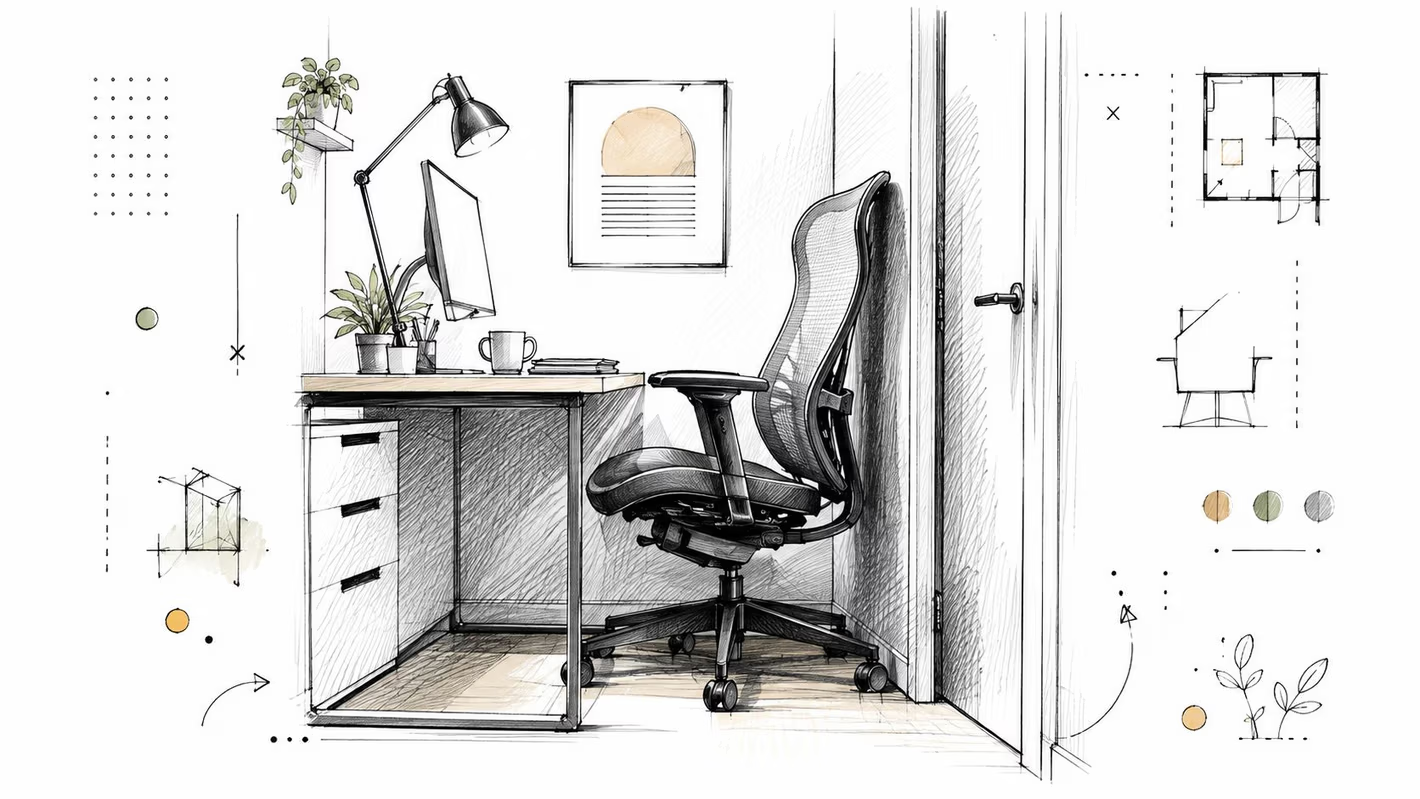
Two kinds of fit
Body geometry includes seat height, seat depth, seat width, lumbar position, and arm support. Room geometry includes desk clearance, wall distance, door swings, delivery access, and traffic paths. A chair can succeed at one and fail at the other.
Research has increasingly examined adjustable seating rather than fixed-size furniture. A 2024 systematic review found that office-chair ergonomics remains widely studied across workplace settings and regions, including Canada, with individual evaluations involving samples as large as 48 participants in the review of sitting and working furniture research. One study found that 98% of chairs had seat-height adjustment, 89% of users knew the feature existed, and only 41% used it, which highlights an important showroom lesson: adjustment only helps when the user understands and applies it.
A compact chair should therefore be treated like part of a small-room system. The right choice may be a slim task chair, a carefully proportioned executive silhouette, or a customized configuration that protects both posture and circulation.
Measure Your Room Before You Shop
A small office should be measured like a parking space. The chair is the vehicle, the desk is the fixed structure, and the user needs room to park, turn, exit, and return without scraping anything.
Build a full-size test
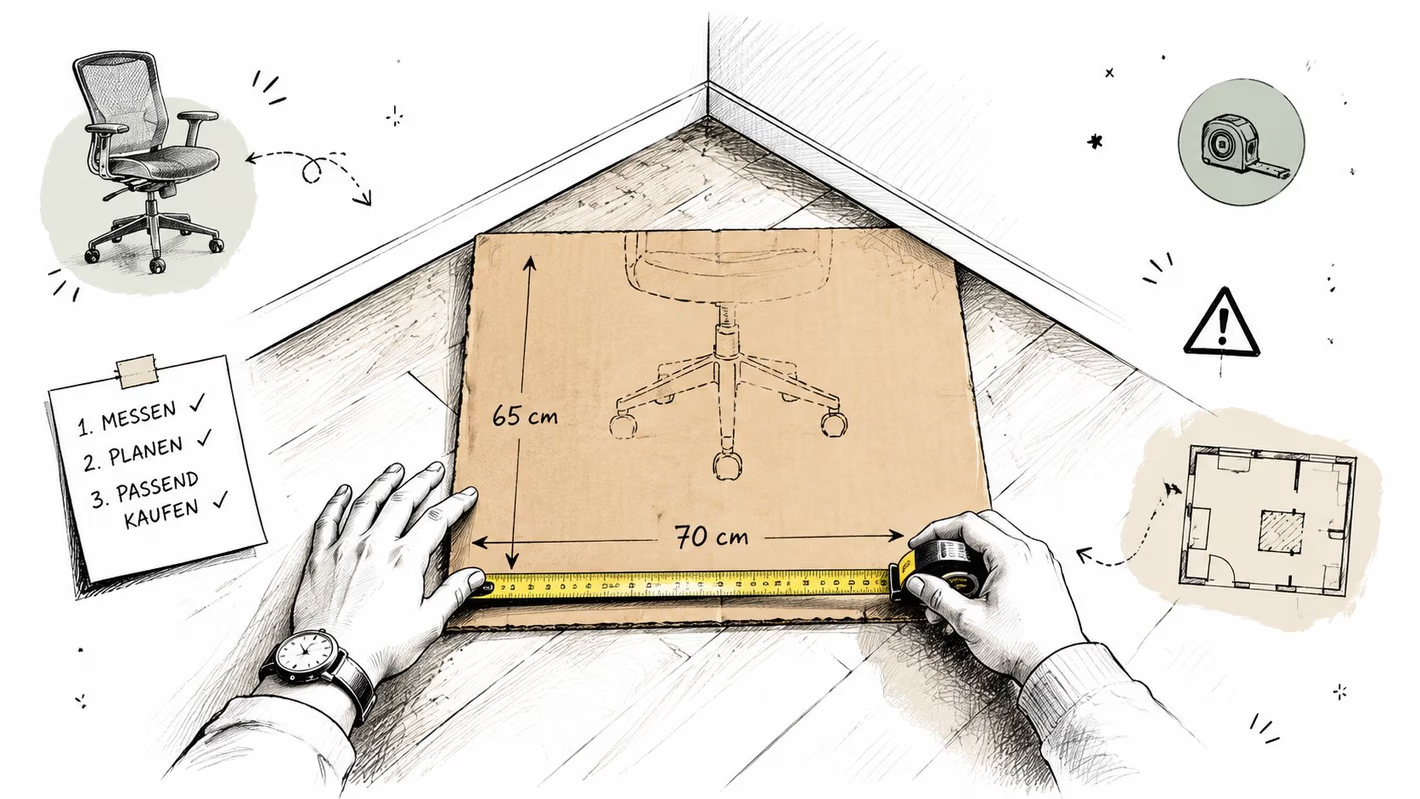
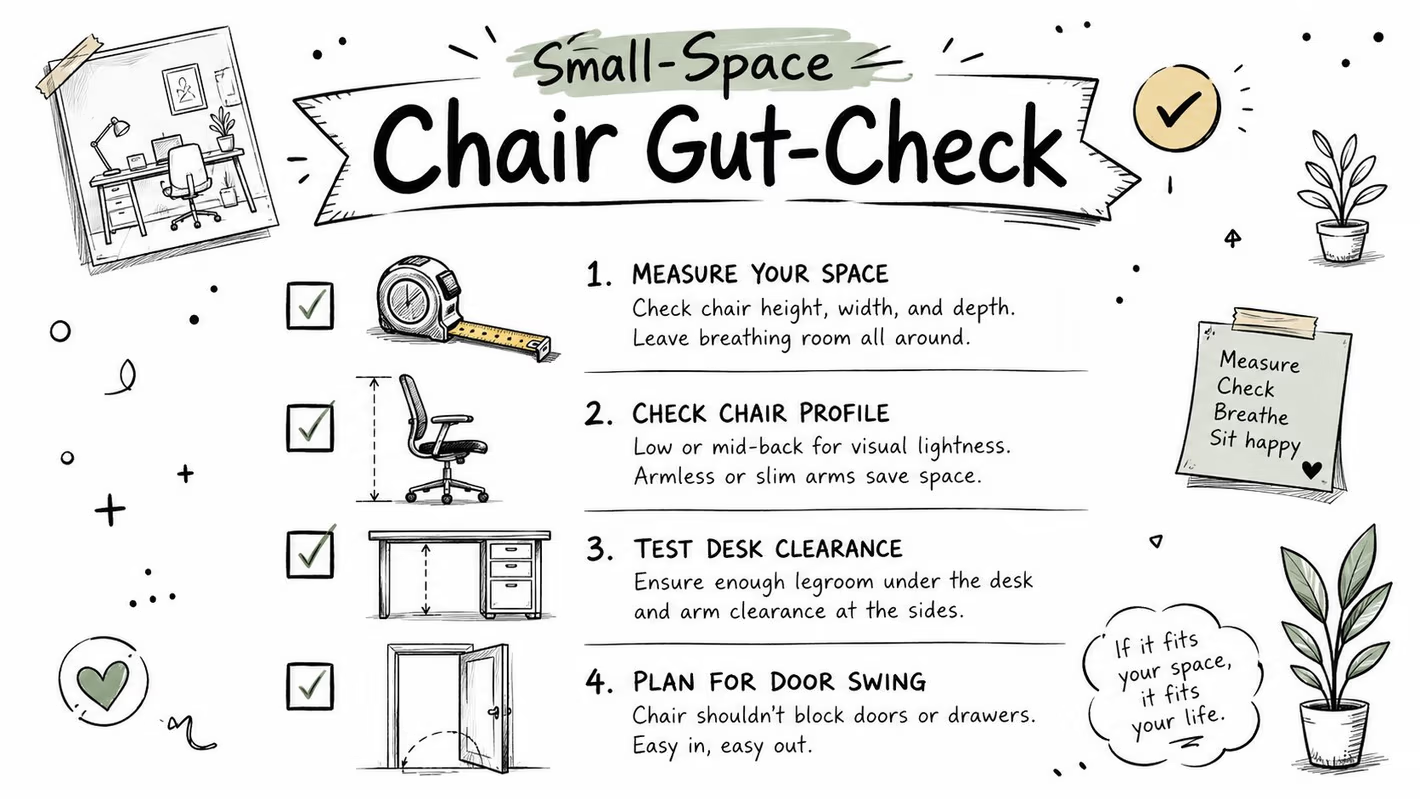
Start with the chair's complete footprint, not only the seat. Mark the length and width on cardboard or newsprint, then place that shape beneath the desk. Include the base, casters, arms, and the furthest point of the backrest.
A compact-office guide recommends an overall footprint of about 28 by 28 inches or smaller, a base diameter under 26 inches, and a backrest under 25 inches from the seat for workspaces under 50 square feet in its small-office chair guidance. Those benchmarks are starting points, not substitutes for testing the actual room.
Measure the desk relationship
Record the knee-well height, knee-well depth, and the distance between the front of the seat and the underside of the desktop. A chair may fit beneath a desk only after its arms are lowered or pivoted inward. Check whether a keyboard tray, monitor arm, filing drawer, or desk support reduces the usable knee space.
A practical clearance benchmark places 24 inches behind the desk as a typical amount needed to sit down and stand up, 36 inches as a more comfortable working minimum, and 42 to 48 inches as an ideal zone for reclining and full chair movement according to this office-chair clearance guide. Each quantitative clearance in this sentence comes from that source, and the room still deserves an in-person test.
Check the delivery path
Measure doorways, hallways, corners, and the turn into the office. A chair that fits the room can still create trouble if a boxed or assembled piece can't pass the doorway. Note door swings, baseboards, heaters, outlets, and any location where a powered adjustment could need access.
For floor planning, an area calculation resource for materials can help organize measurements when a room includes several furniture zones. Tanger's furniture measurement guide can also help households prepare before a showroom visit or delivery.
Photograph this checklist before shopping:
- Chair zone: Overall footprint, base diameter, backrest depth, and arm span.
- Desk zone: Knee-well height, depth, and underside clearance.
- Movement zone: Space behind the chair, door swings, closet access, and hallway entry.
- Delivery zone: Doorway widths, turns, thresholds, and stair access.
- Floor zone: Hardwood, tile, low-pile carpet, baseboards, and heat registers.
Ergonomic Features That Actually Matter in Tight Spaces
The most useful feature on a compact chair is usually not a dramatic headrest or thick padding. It's an adjustment that lets the user achieve a good working position without demanding a larger frame.
A widely cited chair guideline recommends a seat-height range of 15 to 22 inches, or 38 to 56 cm, and says a non-adjustable seat pan should be no deeper than 16.9 inches, or 43 cm. If the depth adjusts, the range should include 16.9 inches in this ergonomic chair guideline. Western University's guidance measures seat height from the floor to the crease behind the knee and recommends 38 to 51 cm, or 15 to 21 inches, with 2 to 3 fingers between the seat edge and the back of the knee in its office-chair fitting guidance.
The adjustments that earn their footprint
Seat height determines whether feet can rest properly while the knees and hips remain comfortable. Seat depth decides whether the user can sit back against lumbar support without the front edge pressing into the knees. Seat width should provide room for the hips without pushing the armrests beyond the desk or walkway.
Lumbar support deserves attention beyond the word “lumbar” on a product label. Height, depth, and firmness matter because different users and tasks change the point where the lower back needs support. A sliding lumbar pad can serve a shared workstation or a person whose posture changes between typing, reading, and video calls.
Armrests can save space when they adjust in height, width, depth, or pivot. Arms that tuck inside the seat perimeter or lower beneath the desktop can reclaim knee-well space. Fixed, wide arms may be the first part of a chair to collide with a desk.
Tilt tension and tilt lock shape the chair's movement envelope. A modest recline can support posture changes without sending the backrest into a rear wall, while synchronous tilt coordinates the seat and back more naturally. Before selecting a compact ergonomic office setup, the buyer should test every lever from the actual desk height.
| Feature | What It Does | Small-Space Impact |
|---|---|---|
| Seat height | Aligns the user with the desk and floor | Helps fit different desk heights without changing the desk |
| Seat depth | Supports the thighs while preserving the knee gap | Prevents forward perching in a shallow room |
| Adjustable lumbar | Places support where the lower back needs it | Serves different users without a larger backrest |
| Adjustable arms | Supports relaxed shoulders and forearms | Lets the chair tuck closer to the desk |
| Tilt control | Manages recline and posture changes | Limits rear-wall contact when calibrated correctly |
| Compact base | Supports rolling and stability | Preserves circulation space around the chair |
A desk also has to cooperate with the chair. Buyers comparing comfortable desks for tight spaces should check the complete desk-and-chair relationship, especially the underside supports and keyboard position.
Task Chairs Versus Compact Executive Chairs
A task chair usually prioritizes movement, a smaller back profile, and easy desk access. A compact executive chair often brings more upholstery, a taller back, broader proportions, and a more formal appearance. Neither category automatically delivers a better fit.
In a 6 by 6 foot nook, a slim task chair often leaves more room to roll, turn, and tuck away. In a private office with more open floor area, a compact executive shape can suit longer seated sessions and a polished professional setting. The key is matching the chair's proportions to the person, workflow, and desk wall.
| Feature | Task Chair | Compact Executive Chair |
|---|---|---|
| Footprint | Usually narrower and easier to move | Often broader because of extra upholstery |
| Seat pan | More likely to offer a shorter or adjustable depth | Often deeper and more generous |
| Backrest | Slim, breathable, or medium height | Taller and more visually substantial |
| Armrests | Frequently adjustable or lower-profile | May be padded, fixed, or wider |
| Desk access | Often works well near a close desk wall | Requires careful arm and back clearance |
| Best match | Multitaskers, writers, and shared workstations | Focused workers seeking a formal look |
| Main caution | May provide less cushioning or recline | May overwhelm a tight room or smaller user |
Match the silhouette to the workday
A frequent multitasker benefits from a chair that rolls easily between a desk, printer, and nearby storage. A focused writer may prefer a stable seat with adjustable lumbar support and arms that let the chair approach the keyboard.
A hybrid worker needs a chair that can disappear into a shared room after work. An occasional sitter may prioritize appearance and tuck-away ability, but the seat still needs to support the body during the hours it is used.
Back material changes the experience, too. Mesh can reduce visual and physical bulk, while upholstery may offer a warmer, more residential appearance. A restrained recline range can be helpful in a tight room, provided the user can still change posture comfortably.
For households evaluating broader home office seating options, the important comparison isn't a ranking. It's whether the chair's seat depth, arm design, back height, and base remain compatible with the room after the user sits down.
Layout and Clearance Tips for Real Rooms
A chair can meet every body-fit measurement and still make the room frustrating. The layout must leave enough space for the backrest, casters, desk access, and household traffic.
Protect the walls and pathways
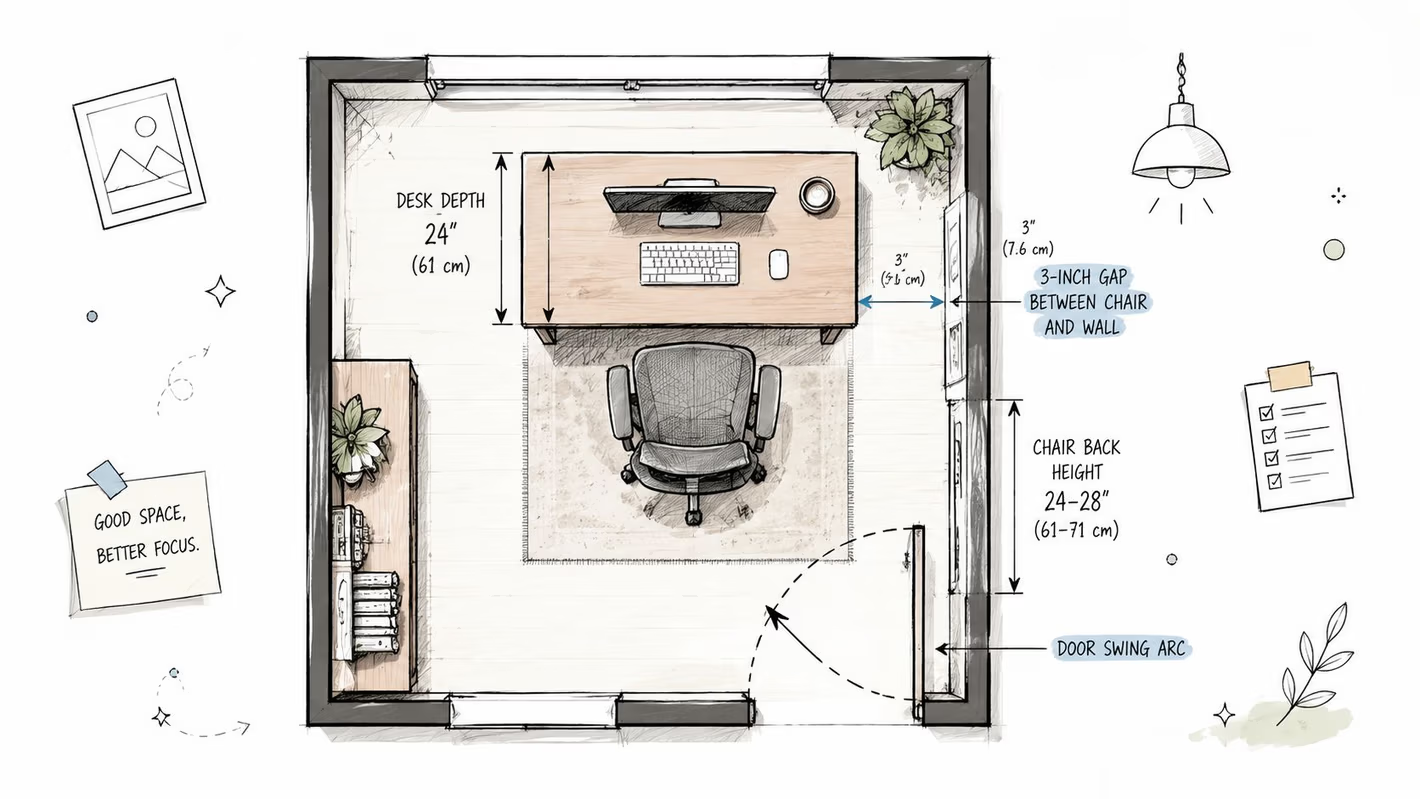
A small gap between the chair and wall helps prevent repeated scuffing when the chair reclines or rolls backward. The exact need depends on the backrest and movement range, so a cardboard footprint test remains more reliable than a catalog silhouette.
Keep the chair from blocking a closet door, hallway entrance, window access, or heating equipment. A desk under a window may look efficient, but the chair's back can interfere with the sill or curtain. A corner desk can work better when the chair sits slightly angled rather than perfectly square to both walls.
A practical layout check should include:
- Behind-chair clearance: Preserve the comfortable working space identified during measurement, rather than assuming a static footprint is enough.
- Door movement: Open every nearby door fully while the chair is in its working position.
- Wall protection: Leave enough room for the backrest and casters to move without repeated contact.
- Traffic flow: Keep the path to the room entrance, closet, and storage usable.
- Desk access: Test the chair with the keyboard tray, monitor arm, and any drawer open.
Let the floor guide the casters
Hardwood and tile generally call for casters designed to roll without marking or chattering across the surface. Low-pile carpet needs casters that won't bog down. A smaller base can move more freely in a narrow walkway, but stability still depends on the base design and compatible casters.
Practical rule: A chair should move away from the desk, turn toward the room, and return to the keyboard without touching a wall, cabinet, or neighboring furniture.
Three layouts illustrate the principle. In a corner setup, the desk occupies the corner while the chair angles outward for easier entry. In an under-window setup, the desk stays shallow enough for the backrest to clear the sill. In an alcove setup, the chair tucks beneath the desk when the office is off duty, with adjustable arms lowered out of the way.
More room-planning ideas appear in Tanger's small office furniture ideas, but every suggestion should be tested against the home's actual doors, walls, and flooring.
Trying and Customizing Your Chair at Tanger's
A showroom test works best when it resembles the buyer's real routine. The visit can begin with a conversation about the room, desk, body proportions, work hours, and any point where the current chair creates pressure or instability.
A specialist can then guide the buyer through several seating shapes. The useful test isn't just whether a chair feels soft for a few seconds. It includes sitting all the way back, setting the seat height, checking the knee gap, lowering the arms, moving toward the desk, and reclining without striking a wall.
From standard fit to tailored fit
Tanger's Custom Order program gives buyers a way to look beyond an out-of-the-box configuration. Select pieces from Smith Brothers of Berne and Flexsteel can be customized through available fabrics, finishes, configurations, caster types, arm options, and seat dimensions. Buyers can learn more about getting started with Custom Order before visiting or discuss the available choices with design staff in the showroom.
Customization matters when standard sizing creates a compromise. A shorter seat depth may help a smaller user sit fully against the lumbar support. A different arm configuration may allow the chair to slide beneath a desk. A finish or upholstery choice can also help an office chair live comfortably in a bedroom or living room instead of looking like an unrelated commercial object.
The service extends to professional spaces. Tanger's Commercial Office division supports businesses with ergonomic task seating, executive offices, conference rooms, waiting areas, and space planning that can range from simple layouts to CAD drawings. That gives Bellefontaine and Logan County businesses a local option when a small office needs both efficient planning and durable furniture.
Delivery and service should be discussed before the order is finalized. Tanger's local delivery team handles the heavy lifting and setup, while an online service request process helps customers report issues or request maintenance after delivery. The Low Price Promise and flexible financing options also help budget-conscious households plan a larger furniture project without treating fit as an unnecessary luxury.
Your Next Step Toward a Better Small-Space Office
The right chair is the one that fits the room and the person at the same time. A final check can keep the decision grounded:
- Measure the room: Test the complete chair zone, desk clearance, doors, walls, and delivery path.
- Match the seat: Confirm that seat depth and width let the user sit back while keeping the knee gap comfortable.
- Prioritize useful adjustments: Look for seat height, lumbar support, and arms that lower, narrow, or pivot.
- Choose compatible casters: Match the casters to hardwood, tile, or low-pile carpet.
- Select the silhouette: Choose a task chair for frequent movement and tighter layouts, or a compact executive chair when the room and work style support a fuller profile.
- Test the full system: Check the chair with the actual desk, keyboard position, monitor setup, and nearby traffic path.
Tanger's Furniture connects custom seating, professional space planning, local delivery, in-house service requests, and flexible financing for residential and commercial projects. The Love Your Home Club offers another way to stay connected with exclusive offers and practical ideas, while the Low Price Promise keeps value part of the conversation.
Visit Tanger's Furniture to explore ergonomic office seating, custom options, and commercial solutions that can fit both the room and the user. The Bellefontaine showroom team can help test the fit, coordinate delivery, discuss financing, and answer specific design questions, and readers can join the Love Your Home Club for expert tips delivered to their inbox.